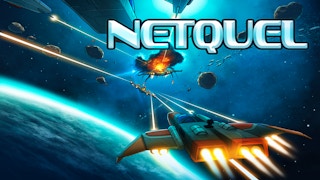
In Netquel.com, navigate thrilling galactic warfare, commanding advanced starships in a relentless battle of strategy and reflexes. Engage in epic dogfights, mine resources, and outmaneuver global rivals in a captivating multiplayer universe where every decision influences your quest for dominance.
How to Play
Navigate with your mouse or touch controls.
Use left click or double tap to boost, and right click to brake.
Smart resource collection is key.
Decide when to fight or evade.
Tip: Save your boosts for critical situations to escape threats or catch adversaries.
How to Play
Mine asteroids, collect space debris, and destroy other space ships to earn points and increase your score. As your score increases, you may choose upgrades to level up your ship. (Your score is the value of all the blocks used in your ship plus your surplus balance.)
How to move
When using a mouse, your ship will fly in the direction of your mouse. Hold left click to boost. Your ship's weapons turn off during boost.
When using a touch screen device, touch the screen and your ship will fly towards the touch point. Double tap and hold to boost. Your ship's weapons turn off during boost.
How to stop
When using a mouse, move the mouse pointer directly over your ship to stop. Right click is another way to stop. (If you right click and left click at the same time, you will stop with weapons off.)
When using a touch screen device, touch directly over your ship to stop. Stop touching is another another way to stop.
Teams
A team (also called a botnet) is a group players who work together and share a single score. The first member of the team is the leader. If the leader dies, all other members also die, so, it is advisable to protect them.
You can join a team in 3 ways:
Start a new team and become the leader of that team.
Request join on an existing team and, if accepted, become a member of that team.
Enter an invitation code on the splash screen.
When you join a team, the value of the blocks used in your ship is added to the team's score. The leader is allowed to kick members, at which point they keep their ship and a limited surplus balance.
When you are in a team, the roster of the team members in the team appears at the top left. If you are not the leader, an arrow will point toward the leader if they are far away.
If the leader quits, the team member directly below the leader in the roster is promoted to become the new leader.
Tiers
All players start in the entry tier. There are usually higher tiers, which unlock upgrades beyond a certain level. Fly to the "roof" or top of the screen and wait for the hyperspace transit countdown to reach zero. Only the leader of a team may travel, and only if all members are nearby (except bots, which will be left behind).
To return to a lower tier, fly to the "floor" or bottom of the screen. Ships with advanced upgrades are not allowed to fly the lowest tiers because they are overpowered relative to new players.
In some cases, a world is hosted in remote location with additional lag to your location, in which case the countdown will contain "⚠ lag". If you decide to cross anyway, you can cross back if you experience too much lag.
How to create new ships
After you accumulate enough points, the upgrade picker control will offer ship labeled "Custom". If you choose that option, you can press 'b' to toggle build mode in which you can customize your ship.
Click the x to enter erase mode (click blocks to remove from ship).
Click a block to enter placing mode (click next to ship to place blocks).
Drag to place or erase a line.
Shift drag to place or erase a rectangle.
You may be attacked by other players as you create ships.
How to create new ships in peace
Go to settings and, in the server dropdown, create a new temporary server. No one will attack you unless you share the link.
How to Win
Collect space debris or mine asteroids to increase your score. Upgrade your ship to improve your defensive and offensive capability.