
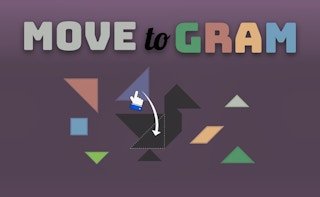
Move to Gram challenges your puzzle-solving skills as you fill intricate indents with colorful, rotating shapes. Experiment with different configurations until every piece fits perfectly, creating a delightful tapestry of organization and logic. It’s a brain-engaging, visually satisfying test of your spatial awareness and shape-handling prowess.
About Move To Gram
Shapes have a lot of different names, but not many of them have the word "gram" in them, but that's not a clue.
This game throws plenty of flat shapes at you which serve as the puzzle pieces that have to be put together.
It's not about trying to create a picture or spell out a message, it's about filling a special indentation with the random assortment of shapes that you're given.
In a way, it's a test of organization where you're trying to create a structure that comes together stably and colorfully.
Shape it up and ship it out.
Tips and Tricks
Even though there's not an overall image that you're trying to create, you can still treat this as a puzzle.
Looking at it that way, you can start from the outside and work your way toward the center.
As a result, bigger pieces tend to be on the outskirts.