
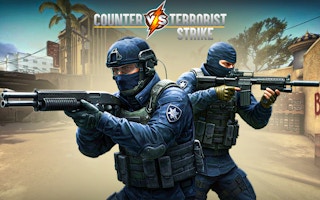
Step into high-stakes commando missions in Counter Vs Terrorist Strike, where quick reflexes and tactical prowess are your keys to survival. Navigate intense battlegrounds, wield an array of powerful weapons, and engage in thrilling gunfights to defeat cunning enemies in both offline and online modes.
About Counter Vs Terrorist Strike
Groups have been fighting against terrorists in gaming for years, sometimes controlled by computers and other times by players.
In this game, you're taking on the terrorists alone, but you have the element of surprise.
You know where the enemies are and can start hunting them down once you arrive in the area.
However, they will be on alert, so you must stay alert so you don't end up surrounded.
Navigate the area to look for the target and places to act safely.
If you can do that, you'll gather enough resources to improve your standing and your equipment to improve your performance.
Controls
Cursor – Look/AimRight Mouse Button – Precise AimW – Move ForwardS – Move BackwardA – Move LeftD – Move RightMouse Wheel – Cycle WeaponsSpacebar – JumpShift – Sprint
The goal is to eliminate all the terrorists in the area.
Your health will be displayed at the bottom of the screen, and your ammo on the right side.
The mini-map will be in the top left corner of the screen, tracking enemy positions.
If your health hits zero, you'll have to restart the mission.
The main menu lets you collect daily rewards and view possible achievements that you can earn for even more.
You can also visit the shop to buy new weapons using the money you've collected.
After that, you can complete missions or compete in a Deathmatch.
After you choose a map, you can select the difficulty, which will affect the rewards you receive, the number of enemies, and their behavior.
You'll spawn into a specific area after you pick a map and a mission.
From there, you must navigate the map and start hunting down the present targets.
Once they reach range, they can become alerted to you and start attacking.
You'll automatically fire your weapon when aiming it at an enemy.
Once all the enemies have been defeated, you'll complete the mission and can move on to the next one.
Tips and Tricks
This is an interesting FPS since it has elements of a rail-shooter, since the default mode is to shoot automatically when aimed at targets.
This means your ammo is more likely to be consumed with careless aiming, so ensure you keep the target in your sights.
Ammo is surprisingly limited, so aim for headshots as much as possible.